HTML / CSS / JS

スクロール
 2026/05/18
 2026/5/11
セクションの切り替えにフェードやスライドを使うのは定番ですが、もっとインパクトのある見せ方があります。
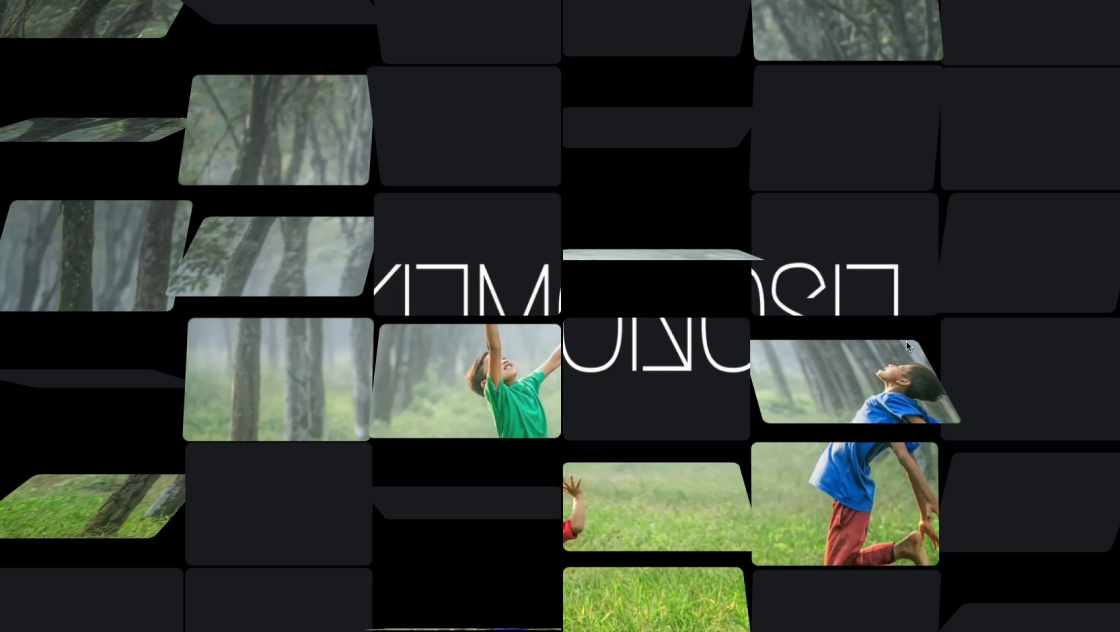
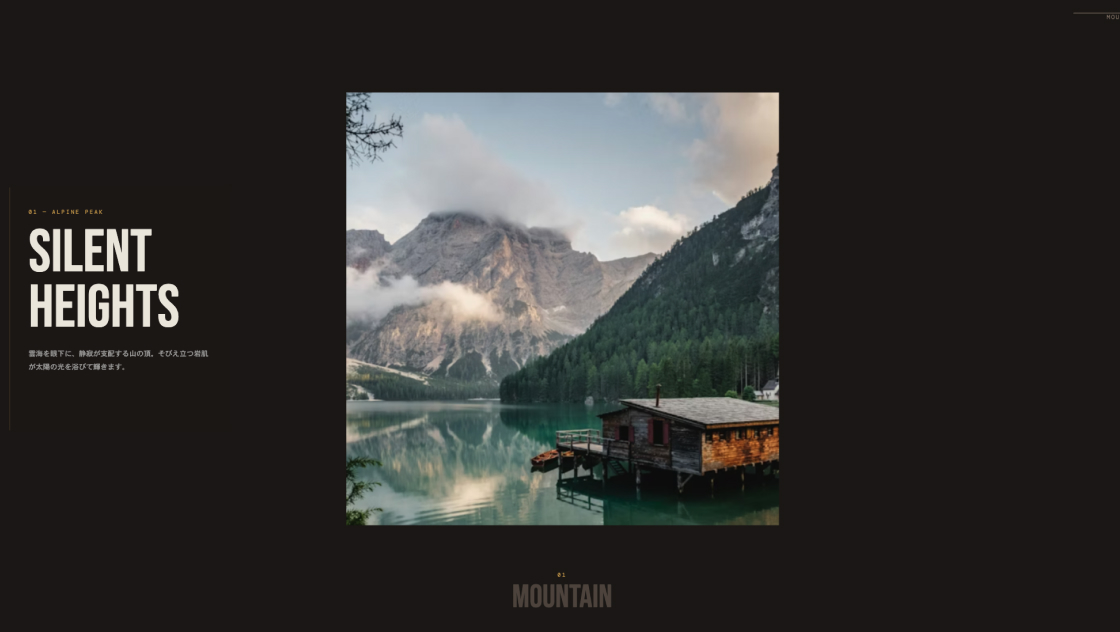
今回紹介するのは、画像を10×10のタイルに分割し、スクロールに連動してすべてのタイルが3D回転しながら次の画像へ切り替わるという演出です。
Three.jsのBoxGeometryの各面に異なる画像を貼ることで、回転方向によって見える画像が変わる仕組みになっています。左側にテキスト、右側に3Dキャンバスという2カラム構成で、スクロールスナップにも対応。
スマホでは上下レイアウトに自動切り替わります。
<main class="kumonosu-main">
	<div class="kumonosu-text-container">
		<section class="kumonosu-section">
			<h1 class="kumonosu-title">セクション 01</h1>
			<p class="kumonosu-description"> ここに仮のテキストが入ります。スクロールに合わせて右側の画像がタイル状に回転し、次のシーンへ切り替わります。 どんなデバイスでも画像が画面いっぱいに広がるよう設計されています。 </p>
		</section>
		<section class="kumonosu-section">
			<h1 class="kumonosu-title">セクション 02</h1>
			<p class="kumonosu-description"> スクロールスナップ機能により、スクロールを止めると自動的に各セクションが中央に吸い寄せられます。 スマートフォンでは画像が上、テキストが下のレイアウトに自動的に切り替わります。 </p>
		</section>
		<section class="kumonosu-section">
			<h1 class="kumonosu-title">セクション 03</h1>
			<p class="kumonosu-description"> ブラウザの幅や高さを変えても、画像に黒い隙間ができることはありません。 Three.jsの数学的な計算により、常に最適なトリミング位置を維持します。 </p>
		</section>
		<section class="kumonosu-section">
			<h1 class="kumonosu-title">セクション 04</h1>
			<p class="kumonosu-description"> 最後の画像です。全4枚の画像がシームレスに入れ替わります。 このファイルは外部ファイルを必要とせず、単体で動作するようにまとめられています。 </p>
		</section>
	</div>
	<canvas id="kumonosu-canvas"></canvas>
</main>body {
margin: 0;
padding: 0;
background-color: #fff;
color: #333;
font-family: "Helvetica Neue", Arial, "Hiragino Kaku Gothic ProN", "Hiragino Sans", Meiryo, sans-serif;
overflow: hidden;
}
.kumonosu-main {
display: flex;
flex-direction: row;
width: 100vw;
height: 100vh;
}
.kumonosu-text-container {
width: 50%;
height: 100vh;
box-sizing: border-box;
padding: 0 3rem;
display: flex;
flex-direction: column;
overflow-y: scroll;
scroll-snap-type: y mandatory;
z-index: 10;
background: white;
}
#kumonosu-canvas {
width: 50%;
height: 100vh;
display: block;
background-color: #000;
}
.kumonosu-section {
height: 100vh;
width: 100%;
box-sizing: border-box;
display: flex;
flex-shrink: 0;
flex-direction: column;
justify-content: center;
scroll-snap-stop: always;
scroll-snap-align: center;
border-bottom: 1px solid #eee;
}
.kumonosu-title {
font-size: 2.5em;
margin: 0 0 1rem 0;
font-weight: 700;
line-height: 1.2;
}
.kumonosu-description {
font-size: 1.1em;
line-height: 1.8;
color: #666;
}
@media (max-width: 800px) {
.kumonosu-main {
flex-direction: column-reverse;
}
.kumonosu-text-container {
width: 100%;
height: 50vh;
padding: 0 1.5rem;
}
#kumonosu-canvas {
width: 100% !important;
height: 50vh !important;
}
.kumonosu-section {
height: 50vh;
}
.kumonosu-title {
font-size: 1.6em;
}
}import * as THREE from "https://unpkg.com/three@0.182.0/build/three.module.js";
const scene = new THREE.Scene();
const canvEl = document.getElementById("kumonosu-canvas");
const renderer = new THREE.WebGLRenderer({
canvas: canvEl,
antialias: true
});
const camera = new THREE.PerspectiveCamera(100, 1, 0.1, 1000);
camera.position.z = 100;
const imgUrls = ["https://images.unsplash.com/photo-1506744038136-46273834b3fb?w=1200&auto=format&fit=crop&q=80", "https://images.unsplash.com/photo-1470770841072-f978cf4d019e?w=1200&auto=format&fit=crop&q=80", "https://images.unsplash.com/photo-1441974231531-c6227db76b6e?w=1200&auto=format&fit=crop&q=80", "https://images.unsplash.com/photo-1501785888041-af3ef285b470?w=1200&auto=format&fit=crop&q=80", ];
const applyCover = (texture, aspect) => {
const imageAspect = texture.image.width / texture.image.height;
if (imageAspect > aspect) {
texture.repeat.set(aspect / imageAspect, 1);
texture.offset.set((1 - texture.repeat.x) / 2, 0);
} else {
texture.repeat.set(1, imageAspect / aspect);
texture.offset.set(0, (1 - texture.repeat.y) / 2);
}
};
const loader = new THREE.TextureLoader();
const textures = await Promise.all(imgUrls.map(async (url) => {
const tex = await loader.loadAsync(url);
tex.colorSpace = THREE.SRGBColorSpace;
return tex;
}));
const materials = [
new THREE.MeshBasicMaterial({
map: textures[1]
}), // 右
new THREE.MeshBasicMaterial({
map: textures[3]
}), // 左
new THREE.MeshBasicMaterial({
color: 0xffffff
}), // 上
new THREE.MeshBasicMaterial({
color: 0xffffff
}), // 下
new THREE.MeshBasicMaterial({
map: textures[0]
}), // 前
new THREE.MeshBasicMaterial({
map: textures[2]
}), // 後
];
const BOXES_X = 10;
const BOXES_Y = 10;
const boxes = [];
const group = new THREE.Group();
scene.add(group);
for (let j = 0; j < BOXES_Y; j++) {
for (let i = 0; i < BOXES_X; i++) {
const geo = new THREE.BoxGeometry(1, 1, 1);
const uvs = geo.attributes.uv.array;
const u0 = i / BOXES_X;
const v0 = 1 - (j + 1) / BOXES_Y;
const u1 = (i + 1) / BOXES_X;
const v1 = 1 - j / BOXES_Y;
for (let k = 0; k < uvs.length; k += 8) {
uvs[k] = u0;
uvs[k + 1] = v1;
uvs[k + 2] = u1;
uvs[k + 3] = v1;
uvs[k + 4] = u0;
uvs[k + 5] = v0;
uvs[k + 6] = u1;
uvs[k + 7] = v0;
}
const mesh = new THREE.Mesh(geo, materials);
const pivot = new THREE.Group();
pivot.add(mesh);
group.add(pivot);
boxes.push(pivot);
}
}
const updateLayout = () => {
const w = canvEl.clientWidth;
const h = canvEl.clientHeight;
renderer.setSize(w, h, false);
camera.aspect = w / h;
camera.updateProjectionMatrix();
const fov = THREE.MathUtils.degToRad(camera.fov);
const visibleHeight = 2 * Math.tan(fov / 2) * 100;
const visibleWidth = visibleHeight * camera.aspect;
const cellW = visibleWidth / BOXES_X;
const cellH = visibleHeight / BOXES_Y;
const boxDepth = Math.max(cellW, cellH);
textures.forEach(tex => applyCover(tex, camera.aspect));
boxes.forEach((pivot, index) => {
const i = index % BOXES_X;
const j = Math.floor(index / BOXES_X);
pivot.position.set(-visibleWidth / 2 + cellW / 2 + i * cellW, visibleHeight / 2 - cellH / 2 - j * cellH, 0);
pivot.children[0].scale.set(cellW, cellH, boxDepth);
});
};
window.addEventListener('resize', updateLayout);
updateLayout();
const scrollContainer = document.querySelector(".kumonosu-text-container");
scrollContainer.addEventListener("scroll", () => {
const scrollPercent = scrollContainer.scrollTop / (scrollContainer.scrollHeight - scrollContainer.clientHeight);
const rotation = scrollPercent * Math.PI * 1.5;
boxes.forEach(box => box.rotation.y = rotation);
});
renderer.setAnimationLoop(() => renderer.render(scene, camera));このデモは、Three.jsのBoxGeometryを使って画像を10×10(計100個)のタイルに分割し、各ボックスの前面・右面・背面・左面に4枚の異なる画像をUVマッピングで貼り付けています。左側テキストエリアのスクロール量に応じてすべてのボックスがY軸回転し、回転角度によって異なる画像面が正面を向く仕組みです。
主な機能は以下のとおりです。
scroll-snap-type: y mandatoryにより、スクロールを止めるとセクション単位で自動的にスナップします。imgUrls配列のURLを差し替えるだけで表示画像を変更できます。4枚の画像がボックスの前面・右面・背面・左面に割り当てられます。BOXES_XとBOXES_Yの値を変更すると、分割数を変えられます。数を減らすと大きなタイルになり、増やすと細かくなります。materials配列を対応させれば、5面以上の切り替えも可能です。ただしボックスの面は最大6面(上下含む)です。box.rotation.yをbox.rotation.xに変えると縦回転になります。Math.PI * 1.5(270°)をMath.PI * 2(360°)に変えると、1周して元の画像に戻る動きになります。.kumonosu-titleや.kumonosu-descriptionのフォントサイズ・色・余白を自由に変更できます。bodyのbackground-colorやキャンバスのbackground-colorを変えると全体の雰囲気が変わります。unpkg.com経由でThree.js v0.182.0をESモジュールとして読み込んでいます。本番環境ではバージョン固定やローカルホスティングを推奨します。MeshBasicMaterialが設定されています。回転角度によっては上下面が一瞬見える場合があります。Promise.allをトップレベルでawaitしているため、type="module"のスクリプトが必須です。古いブラウザでは動作しない場合があります。