HTML / CSS / JS

スクロール
 2026/05/25
 2026/5/13
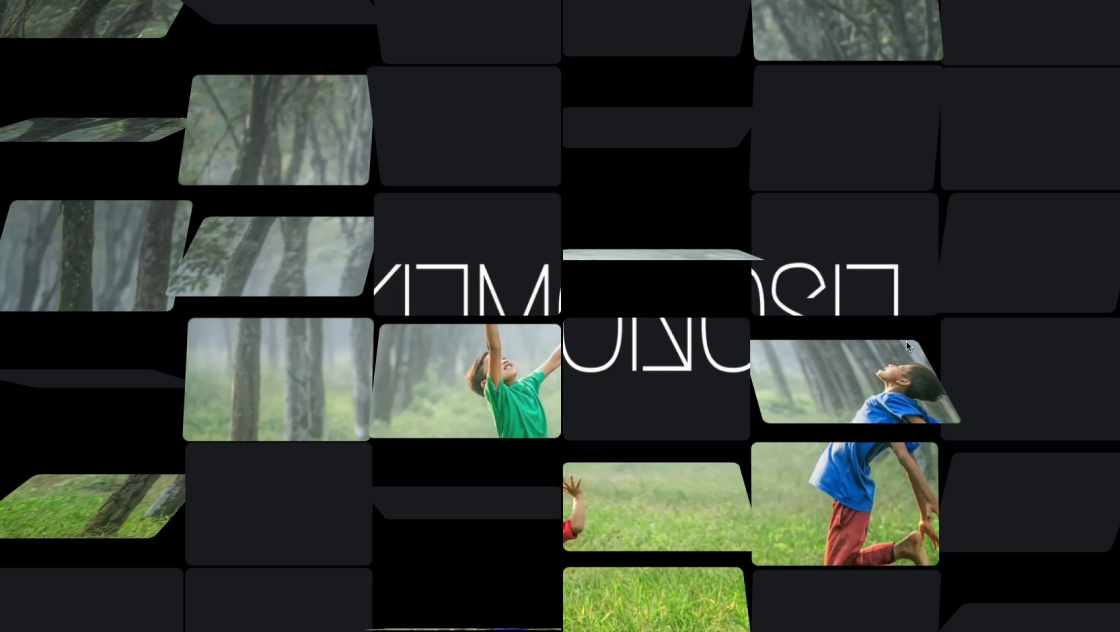
画像を整然と並べるだけのギャラリーでは物足りない、もっとダイナミックな見せ方がしたい――そんなときにぴったりなのが、この多段パララックスギャラリーです。
8段の帯に画像をそれぞれ並べ、全体を斜め(7°)に傾けたうえで、スクロール操作に連動して各段が異なるスピードで横に流れます。
段ごとに速度が違うことで奥行きのあるパララックス効果が生まれ、慣性スクロールやドラッグ操作にも対応しているため、触っているだけで気持ちのいいインタラクションが楽しめます。
全画像をPromise.allで並列に読み込むことで初期表示も高速です。Three.jsのカスタムシェーダーで無限ループ処理を行っており、画像は途切れることなく流れ続けます。
<div class="kumonosu-loading-container" id="kumonosu-loading-overlay">
	<div id="kumonosu-loading-text">Loading...</div>
	<div class="kumonosu-progress-bar">
		<div class="kumonosu-progress-fill" id="kumonosu-progress-fill-element"></div>
	</div>
</div>* {
margin: 0;
padding: 0;
box-sizing: border-box;
}
html, body {
width: 100%;
height: 100%;
overflow: hidden;
background: #050a10;
font-family: sans-serif;
}
canvas {
position: fixed;
top: 0;
left: 0;
width: 100vw;
height: 100vh;
}
.kumonosu-loading-container {
position: fixed;
top: 50%;
left: 50%;
transform: translate(-50%, -50%);
background: rgba(255, 255, 255, 0.9);
padding: 20px;
border-radius: 10px;
z-index: 1000;
text-align: center;
box-shadow: 0 4px 20px rgb(0 0 0 / .3);
}
.kumonosu-progress-bar {
width: 200px;
height: 4px;
background: #ddd;
margin-top: 10px;
border-radius: 2px;
}
.kumonosu-progress-fill {
width: 0%;
height: 100%;
background: #333;
border-radius: 2px;
transition: width 0.2s;
}
::-webkit-scrollbar {
display: none;
}let scrollY = 0;
let targetScrollY = 0;
let scrollVelocity = 0;
let materials = [];
let totalImagesToLoad = 0;
let loadedImagesCount = 0;
let meshes = [];
const scene = new THREE.Scene();
const camera = new THREE.OrthographicCamera(-1, 1, 1, -1, 0.1, 10);
const renderer = new THREE.WebGLRenderer({
antialias: true,
alpha: true
});
renderer.setSize(window.innerWidth, window.innerHeight);
document.body.appendChild(renderer.domElement);
camera.position.z = 1;
const BAND_HEIGHT = 120;
const IMAGE_HEIGHT = 100;
const IMAGE_GAP = 20;
const CLONE_COUNT = 3;
const MAX_IMAGE_WIDTH = 300;
const IMAGES_PER_BAND = [8, 12, 9, 13, 14, 10, 9, 13];
const bandConfigs = [{
offsetY: -385,
speed: 1.6,
rotation: 7 * Math.PI / 180
}, {
offsetY: -275,
speed: 1.3,
rotation: 7 * Math.PI / 180
}, {
offsetY: -165,
speed: 0.7,
rotation: 7 * Math.PI / 180
}, {
offsetY: -55,
speed: 1.0,
rotation: 7 * Math.PI / 180
}, {
offsetY: 55,
speed: 0.4,
rotation: 7 * Math.PI / 180
}, {
offsetY: 165,
speed: 1.2,
rotation: 7 * Math.PI / 180
}, {
offsetY: 275,
speed: 0.8,
rotation: 7 * Math.PI / 180
}, {
offsetY: 385,
speed: 1.4,
rotation: 7 * Math.PI / 180
}];
function updateLoading() {
const progress = (loadedImagesCount / totalImagesToLoad) * 100;
const progressFill = document.getElementById('kumonosu-progress-fill-element');
if (progressFill) progressFill.style.width = `${progress}%`;
if (loadedImagesCount >= totalImagesToLoad) {
setTimeout(() => {
const loader = document.getElementById('kumonosu-loading-overlay');
if (loader) loader.style.display = 'none';
}, 300);
}
}
function loadImagesForBand(bandIndex, count) {
return new Promise((resolve) => {
const images = [];
let loaded = 0;
for (let i = 0; i < count; i++) {
const img = new Image();
img.crossOrigin = "anonymous";
img.src = `https://picsum.photos/400/300?random=${bandIndex}_${i}`;
const imageObj = {
loaded: false,
img: null,
width: 0,
height: 0
};
images.push(imageObj);
img.onload = () => {
const ratio = img.naturalWidth / img.naturalHeight;
imageObj.width = Math.min(IMAGE_HEIGHT * ratio, MAX_IMAGE_WIDTH);
imageObj.height = IMAGE_HEIGHT;
imageObj.img = img;
imageObj.loaded = true;
loaded++;
loadedImagesCount++;
updateLoading();
if (loaded === count) resolve(images);
};
img.onerror = () => {
const canvas = document.createElement('canvas');
canvas.width = 150;
canvas.height = 100;
imageObj.img = canvas;
imageObj.width = 150;
imageObj.height = 100;
imageObj.loaded = true;
loaded++;
loadedImagesCount++;
updateLoading();
if (loaded === count) resolve(images);
};
}
});
}
function createBandTexture(images) {
let seqWidth = 0;
images.forEach(img => {
seqWidth += img.width + IMAGE_GAP;
});
const totalWidth = seqWidth * CLONE_COUNT;
const canvas = document.createElement('canvas');
canvas.width = totalWidth;
canvas.height = BAND_HEIGHT;
const ctx = canvas.getContext('2d');
for (let c = 0; c < CLONE_COUNT; c++) {
let x = c * seqWidth;
images.forEach(img => {
const y = (BAND_HEIGHT - img.height) / 2;
ctx.drawImage(img.img, x, y, img.width, img.height);
x += img.width + IMAGE_GAP;
});
}
const tex = new THREE.Texture(canvas);
tex.needsUpdate = true;
return {
texture: tex,
totalWidth,
seqWidth
};
}
async function initBands() {
const promises = bandConfigs.map((config, i) => {
return loadImagesForBand(i, IMAGES_PER_BAND[i]).then(imgs => {
const {
texture,
totalWidth,
seqWidth
} = createBandTexture(imgs);
const mat = new THREE.ShaderMaterial({
uniforms: {
uResolution: {
value: new THREE.Vector2(window.innerWidth, window.innerHeight)
},
uTexture: {
value: texture
},
uTextureWidth: {
value: totalWidth
},
uSequenceWidth: {
value: seqWidth
},
uBandHeight: {
value: BAND_HEIGHT
},
uScroll: {
value: 0
},
uSpeed: {
value: config.speed
},
uOffsetY: {
value: config.offsetY
},
uRotation: {
value: config.rotation
}
},
vertexShader: `varying vec2 vUv; void main() { vUv = uv; gl_Position = projectionMatrix * modelViewMatrix * vec4(position, 1.0); }`,
fragmentShader: `
precision highp float;
uniform vec2 uResolution;
uniform sampler2D uTexture;
uniform float uTextureWidth;
uniform float uSequenceWidth;
uniform float uBandHeight;
uniform float uScroll;
uniform float uSpeed;
uniform float uOffsetY;
uniform float uRotation;
varying vec2 vUv;
mat2 rotate2d(float a) { return mat2(cos(a), -sin(a), sin(a), cos(a)); }
void main() {
vec2 p = vUv * uResolution;
float bCenterY = uResolution.y * 0.5 + uOffsetY;
float bTop = bCenterY - uBandHeight * 0.5;
float bBottom = bCenterY + uBandHeight * 0.5;
vec2 rotCenter = vec2(uResolution.x * 0.5, bCenterY);
vec2 pRot = rotate2d(uRotation) * (p - rotCenter) + rotCenter;
if (pRot.y < bTop || pRot.y > bBottom) discard;
float scrollX = mod(pRot.x + uScroll * uSpeed, uSequenceWidth);
float texX = (scrollX + uSequenceWidth) / uTextureWidth;
float texY = (pRot.y - bTop) / uBandHeight;
vec4 col = texture2D(uTexture, vec2(texX, texY));
if (col.a < 0.01) discard;
gl_FragColor = col;
}
`,
transparent: true
});
materials[i] = mat;
const mesh = new THREE.Mesh(new THREE.PlaneGeometry(2, 2), mat);
mesh.position.z = -i * 0.01;
scene.add(mesh);
meshes[i] = mesh;
});
});
await Promise.all(promises);
}
let isDragging = false;
let lastY = 0;
const inertia = 0.95;
document.addEventListener('wheel', e => {
e.preventDefault();
targetScrollY += e.deltaY;
scrollVelocity = e.deltaY * 0.15;
}, {
passive: false
});
document.addEventListener('mousedown', e => {
isDragging = true;
lastY = e.clientY;
scrollVelocity = 0;
document.body.style.cursor = 'grabbing';
});
document.addEventListener('mousemove', e => {
if (!isDragging) return;
const dy = e.clientY - lastY;
targetScrollY += dy * 2.0;
lastY = e.clientY;
scrollVelocity = dy * 0.25;
});
document.addEventListener('mouseup', () => {
isDragging = false;
document.body.style.cursor = 'default';
});
function animate() {
requestAnimationFrame(animate);
if (!isDragging) {
targetScrollY += scrollVelocity;
scrollVelocity *= inertia;
}
scrollY += (targetScrollY - scrollY) * 0.1;
materials.forEach(m => {
if (m) {
m.uniforms.uScroll.value = scrollY;
m.uniforms.uResolution.value.set(window.innerWidth, window.innerHeight);
}
});
renderer.render(scene, camera);
}
window.addEventListener('resize', () => renderer.setSize(window.innerWidth, window.innerHeight));
totalImagesToLoad = IMAGES_PER_BAND.reduce((a, b) => a + b, 0);
initBands().then(animate);https://cdnjs.cloudflare.com/ajax/libs/three.js/r128/three.min.jsこのギャラリーは、Three.jsのフルスクリーンクワッド+カスタムシェーダーを使い、画像を8段の帯として描画します。各帯はフラグメントシェーダー内で独立してスクロール・回転処理されるため、DOM要素を使わない軽量な構造です。
主な機能は以下のとおりです。
Promise.allで同時にリクエストし、すべてが揃い次第アニメーションを開始します。loadImagesForBand内の画像URLを差し替えれば、任意の画像を表示できます。現在はPicsum Photosからランダムに取得しています。bandConfigs配列とIMAGES_PER_BAND配列の要素を増減すれば、帯の本数を変更できます。bandConfigs内のspeed値を変更すると、帯ごとのスクロール速度を個別に調整できます。rotationの値を変更すると帯の傾きが変わります。0にすると水平になります。offsetYの値で各帯の縦位置(画面中央からのオフセット)を調整できます。IMAGE_HEIGHT(画像の高さ)、MAX_IMAGE_WIDTH(最大幅)、IMAGE_GAP(画像間の余白)を変更すると、帯内の画像レイアウトが変わります。BAND_HEIGHTを変更すると、帯全体の高さ(画像+上下余白)が変わります。bodyのbackgroundを変更すれば、帯の間から見える背景色を変えられます。inertia(デフォルト0.95)を小さくすると早く止まり、大きくするとより長く流れ続けます。cdnjs.cloudflare.com)からThree.js r128を読み込んでいます。本番環境ではバージョン固定やローカルホスティングを推奨します。crossOrigin = "anonymous"で読み込んでいます。CORS非対応のサーバーの画像ではテクスチャ生成に失敗します。wheelイベントにpreventDefault()を設定しているため、ページ全体のスクロールは無効化されます。ページ内の一部として使う場合はイベント制御の見直しが必要です。offsetYやテクスチャの内容は再計算されません。極端に画面サイズが変わると帯が画面外にはみ出す場合があります。