HTML / CSS / JS

ビジュアル
 2026/09/23
 2026/9/22
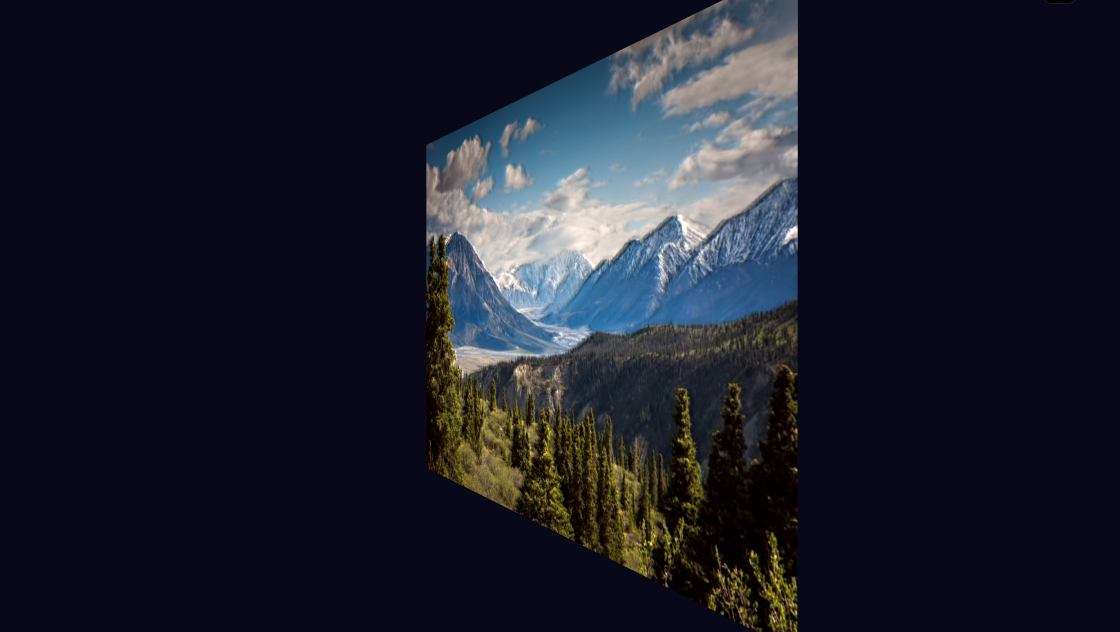
写真の上に配置された円形のガラスをドラッグすると、その位置に合わせて背景の写真が屈折して見えるインタラクティブなエフェクトです。
CSSによる透明感やハイライトの表現と、SVGフィルター・JavaScriptによる画像の変形を組み合わせることで、ガラスレンズ越しに写真を覗いているような見た目を作っています。
マウスやタッチ操作で自由に動かせるほか、キーボードの矢印キーでも操作できます。写真を印象的に見せたいビジュアルや、操作して楽しめるWebコンテンツなどに活用できます。
<main id="kumonosu-root" class="kumonosu-layout">
	<div class="kumonosu-cow" style="width:680px;height:680px">
		<img class="kumonosu-cow-pic" src="https://kumonosu.net/wp-content/uploads/2026/01/176d.jpg.webp" alt="Glass refraction subject" draggable="false" style="inset:100px;width:480px;height:480px">
		<svg class="kumonosu-cow-defs" aria-hidden="true" focusable="false">
			<filter id="kumonosu-cow-lens" x="-40%" y="-40%" width="180%" height="180%" color-interpolation-filters="sRGB">
				<feImage x="0" y="0" preserveAspectRatio="none" result="map" />
				<feDisplacementMap in="SourceGraphic" in2="map" result="rr" scale="162.88" xChannelSelector="R" yChannelSelector="G" />
				<feDisplacementMap in="SourceGraphic" in2="map" result="gg" scale="160" xChannelSelector="R" yChannelSelector="G" />
				<feDisplacementMap in="SourceGraphic" in2="map" result="bb" scale="157.12" xChannelSelector="R" yChannelSelector="G" />
				<feColorMatrix in="rr" result="r" values="1 0 0 0 0  0 0 0 0 0  0 0 0 0 0  0 0 0 1 0" />
				<feColorMatrix in="gg" result="g" values="0 0 0 0 0  0 1 0 0 0  0 0 0 0 0  0 0 0 1 0" />
				<feColorMatrix in="bb" result="b" values="0 0 0 0 0  0 0 0 0 0  0 0 1 0 0  0 0 0 1 0" />
				<feBlend in="r" in2="g" mode="screen" result="rg" />
				<feBlend in="rg" in2="b" mode="screen" />
			</filter>
		</svg>
		<div class="kumonosu-cow-bub" role="slider" aria-label="Glass bubble" aria-valuemin="0" aria-valuemax="100" tabindex="0"></div>
	</div>
</main>*, *::before, *::after {
box-sizing: border-box;
}
.kumonosu-page {
margin: 0;
min-height: 100vh;
background: #07090e;
color: #f1f5f9;
font-family: ui-sans-serif, system-ui, sans-serif;
line-height: 1.5;
-webkit-font-smoothing: antialiased;
-moz-osx-font-smoothing: grayscale;
}
.kumonosu-page ::selection {
background: #3b82f6;
color: white;
}
.kumonosu-layout {
position: relative;
width: 100%;
height: 100vh;
height: 100dvh;
background: #0d121c;
overflow: hidden;
}
.kumonosu-cow {
--focus: #3b82f6;
--focus-rgb: 59, 130, 246;
--ink: #0f172a;
--ink-rgb: 15, 23, 42;
--ground: #090d16;
--surface: #1e293b;
--ui-font: -apple-system, BlinkMacSystemFont, "SF Pro Display", "Segoe UI", Roboto, sans-serif;
position: absolute;
left: 50%;
top: 50%;
transform: translate(-50%, -50%) scale(var(--kumonosu-scale, 0));
font-family: var(--ui-font);
touch-action: none;
-webkit-user-select: none;
user-select: none;
}
.kumonosu-cow-pic {
position: absolute;
border-radius: 36px;
display: block;
object-fit: cover;
-webkit-user-drag: none;
box-shadow: 0 20px 50px rgba(0, 0, 0, 0.4), 0 0 0 1px rgba(255, 255, 255, 0.08);
}
.kumonosu-cow-defs {
position: absolute;
width: 0;
height: 0;
}
.kumonosu-cow-bub {
position: absolute;
left: 0;
top: 0;
border-radius: 999px;
cursor: grab;
}
.kumonosu-cow-bub[data-held] {
cursor: grabbing;
}
.kumonosu-cow-bub::after {
content: "";
position: absolute;
inset: 0;
border-radius: inherit;
box-shadow:
inset 0 1px 0.5px rgba(255, 255, 255, 0.34),
inset 0 -1px 1px rgba(255, 255, 255, 0.14),
inset 0 0 0 0.5px rgba(255, 255, 255, 0.1),
0 10px 22px rgba(0, 0, 0, 0.32),
0 2px 6px rgba(0, 0, 0, 0.2);
pointer-events: none;
transition: box-shadow 180ms ease;
}
.kumonosu-cow-bub::before {
content: "";
position: absolute;
inset: 0;
border-radius: inherit;
background:
radial-gradient(9% 7% at 28% 20%, rgba(255, 255, 255, 0.7), rgba(255, 255, 255, 0) 78%),
radial-gradient(34% 26% at 31% 24%, rgba(255, 255, 255, 0.12), rgba(255, 255, 255, 0) 72%),
radial-gradient(52% 44% at 73% 83%, rgba(255, 255, 255, 0.08), rgba(255, 255, 255, 0) 74%);
pointer-events: none;
z-index: 1;
}
.kumonosu-cow-bub[data-held]::after {
box-shadow:
inset 0 1px 0.5px rgba(255, 255, 255, 0.28),
inset 0 -1px 1px rgba(255, 255, 255, 0.12),
inset 0 0 0 0.5px rgba(255, 255, 255, 0.09),
0 5px 12px rgba(0, 0, 0, 0.3),
0 1px 4px rgba(0, 0, 0, 0.18);
}
.kumonosu-cow-bub:focus-visible {
outline: 2px solid var(--focus, #3b82f6);
outline-offset: 3px;
}
@media (prefers-reduced-motion: reduce) {
.kumonosu-cow-bub::after {
transition-duration: 1ms;
}
}
.kumonosu-cow-glass {
position: absolute;
inset: 0;
width: 100%;
height: 100%;
border-radius: inherit;
display: block;
pointer-events: none;
}(() => {
const PIC = 480, ESCAPE = 100, STAGE = 680, SCALE = 160, OVER = 2;
function lensField(d, bend, mag) {
const S = Math.max(2, Math.round(d));
const R = S / 2;
const ox = new Float32Array(S * S);
const oy = new Float32Array(S * S);
const out = 0.14 + (bend / 100) * 0.8;
const q = 3;
const f = (u) => u / mag + (out + 1 - 1 / mag) * Math.pow(u, q);
for (let y = 0; y < S; y++) {
for (let x = 0; x < S; x++) {
const i = y * S + x;
const dx = x - R + 0.5;
const dy = y - R + 0.5;
const r = Math.hypot(dx, dy);
if (r < R) {
const u = r / R;
const rs = R * f(u);
const ux = r ? dx / r : 0;
const uy = r ? dy / r : 0;
ox[i] = ux * (rs - r);
oy[i] = uy * (rs - r);
}
}
}
return { S, ox, oy };
}
function lensMap(d, bend, mag) {
const { S, ox, oy } = lensField(d, bend, mag);
const c = document.createElement("canvas");
c.width = c.height = S;
const g = c.getContext("2d");
if (!g) return "";
const img = g.createImageData(S, S);
for (let i = 0; i < S * S; i++) {
const j = i * 4;
img.data[j] = Math.max(0, Math.min(255, 127.5 + (ox[i] / SCALE) * 255));
img.data[j + 1] = Math.max(0, Math.min(255, 127.5 + (oy[i] / SCALE) * 255));
img.data[j + 2] = 128;
img.data[j + 3] = 255;
}
g.putImageData(img, 0, 0);
return c.toDataURL();
}
const root = document.getElementById("kumonosu-root");
const stage = root.querySelector(".kumonosu-cow");
const bubble = root.querySelector(".kumonosu-cow-bub");
const photo = root.querySelector(".kumonosu-cow-pic");
const d = matchMedia("(max-width: 760px)").matches ? 210 : 180;
const chase = 0.018;
const at = { x: ESCAPE + PIC * 0.30, y: ESCAPE + PIC * 0.14 };
const clamp = (v, lo, hi) => Math.min(hi, Math.max(lo, v));
let grab = null;
let draw = () => {};
bubble.style.width = bubble.style.height = `${d}px`;
function fit() {
stage.style.setProperty("--kumonosu-scale", Math.min(1, root.clientWidth / STAGE, root.clientHeight / STAGE));
}
new ResizeObserver(fit).observe(root);
fit();
function render() {
bubble.style.translate = `${at.x.toFixed(1)}px ${at.y.toFixed(1)}px`;
bubble.setAttribute("aria-valuenow", Math.round(at.x / (STAGE - d) * 100));
bubble.setAttribute("aria-valuetext", `${Math.round(at.x / (STAGE - d) * 100)} across, ${Math.round(at.y / (STAGE - d) * 100)} down`);
draw();
}
if (CSS.supports("backdrop-filter", "url(#kumonosu-cow-lens)")) {
const map = root.querySelector("feImage");
map.setAttribute("href", lensMap(d, 100, 1.30));
map.setAttribute("width", d);
map.setAttribute("height", d);
bubble.style.backdropFilter = "url(#kumonosu-cow-lens) saturate(1.12) brightness(1.04)";
} else {
const canvas = document.createElement("canvas");
canvas.className = "kumonosu-cow-glass";
canvas.setAttribute("aria-hidden", "true");
const field = lensField(d, 100, 1.30);
const S = field.S * OVER, R = S / 2, W = STAGE * OVER;
canvas.width = canvas.height = S;
bubble.append(canvas);
const g = canvas.getContext("2d");
const out = g.createImageData(S, S);
const ks = [1 + chase, 1, 1 - chase];
const img = new Image();
img.crossOrigin = "anonymous";
img.onload = () => {
try {
const source = document.createElement("canvas");
source.width = source.height = W;
const context = source.getContext("2d", { willReadFrequently: true });
const side = Math.min(img.naturalWidth, img.naturalHeight);
context.drawImage(img, (img.naturalWidth - side) / 2, (img.naturalHeight - side) / 2, side, side, ESCAPE * OVER, ESCAPE * OVER, PIC * OVER, PIC * OVER);
const src = context.getImageData(0, 0, W, W);
draw = () => {
for (let y = 0; y < S; y++) {
for (let x = 0; x < S; x++) {
const o = (y * S + x) * 4;
const cx = x - R + 0.5;
const cy = y - R + 0.5;
if (cx * cx + cy * cy >= R * R) { out.data[o + 3] = 0; continue; }
const fi = ((y / OVER) | 0) * field.S + ((x / OVER) | 0);
let lit = 0;
for (let ch = 0; ch < 3; ch++) {
const sx = (at.x * OVER + x + field.ox[fi] * ks[ch] * OVER) | 0;
const sy = (at.y * OVER + y + field.oy[fi] * ks[ch] * OVER) | 0;
if (sx < 0 || sy < 0 || sx >= W || sy >= W) { out.data[o + ch] = 0; continue; }
const v = src.data[(sy * W + sx) * 4 + ch];
out.data[o + ch] = v;
lit += v;
}
out.data[o + 3] = lit > 0 ? 255 : 0;
}
}
g.putImageData(out, 0, 0);
};
render();
} catch (error) {
console.error("Unable to read image pixels for glass refraction.", error);
}
};
img.onerror = () => console.error("Unable to load image for glass refraction.");
img.src = photo.src;
}
function pointerPosition(e) {
const bounds = stage.getBoundingClientRect();
const scale = bounds.width / STAGE;
return { x: (e.clientX - bounds.left) / scale, y: (e.clientY - bounds.top) / scale };
}
bubble.addEventListener("pointerdown", (e) => {
if (grab || e.button !== 0) return;
const p = pointerPosition(e);
grab = { id: e.pointerId, dx: p.x - at.x, dy: p.y - at.y };
bubble.setPointerCapture(e.pointerId);
bubble.setAttribute("data-held", "");
});
bubble.addEventListener("pointermove", (e) => {
if (!grab || grab.id !== e.pointerId) return;
const p = pointerPosition(e);
at.x = clamp(p.x - grab.dx, 0, STAGE - d);
at.y = clamp(p.y - grab.dy, 0, STAGE - d);
render();
});
function release(e) {
if (!grab || grab.id !== e.pointerId) return;
grab = null;
bubble.removeAttribute("data-held");
if (bubble.hasPointerCapture(e.pointerId)) bubble.releasePointerCapture(e.pointerId);
}
for (const event of ["pointerup", "pointercancel", "lostpointercapture"]) bubble.addEventListener(event, release);
bubble.addEventListener("keydown", (e) => {
const step = e.shiftKey ? 36 : 12;
const go = { ArrowLeft: [-step, 0], ArrowRight: [step, 0], ArrowUp: [0, -step], ArrowDown: [0, step] }[e.key];
if (!go) return;
e.preventDefault();
at.x = clamp(at.x + go[0], 0, STAGE - d);
at.y = clamp(at.y + go[1], 0, STAGE - d);
render();
});
render();
})();中央に写真を配置し、その上に円形のガラス要素を重ねています。
ガラス部分にはCSSの疑似要素を使い、内側のハイライトやシャドウ、輪郭などを重ねることで透明なガラスの質感を表現しています。
画像の屈折にはSVGのfeDisplacementMapを利用しています。JavaScriptで生成した変位マップをSVGフィルターへ設定し、ガラスの内側に見えている写真を変形させることで、レンズ越しに覗いたような歪みを作っています。
さらにRGBそれぞれにわずかに異なる変形量を設定してから合成することで、ガラスの縁に生じる色収差のような表現も加えています。
ガラスはPointer Eventsを利用してドラッグできるようになっており、マウスだけでなくタッチ操作にも対応しています。
ガラスの大きさは、JavaScript内のdで設定されています。
PCでは180px、画面幅760px以下では210pxに切り替わるため、この数値を変更することでガラスのサイズを調整できます。
ガラスによる屈折の強さは、feDisplacementMapのscaleやlensField()に渡している値によって調整できます。数値を変更すると、レンズを通した画像の歪み方を変えられます。
lensMap(d, 100, 1.30)の1.30はレンズ内部の拡大感に関係する値です。好みに合わせて調整することで、より強いレンズ表現や控えめな屈折表現に変更できます。
背景となる写真は.kumonosu-cow-picのsrcを変更することで差し替えられます。現在は480×480pxの正方形領域として表示され、object-fit: coverでトリミングされています。
ガラス表面の見た目は.kumonosu-cow-bub::beforeと.kumonosu-cow-bub::afterで調整できます。radial-gradient()を変更すると光の反射位置や強さを、box-shadowを変更するとガラスの輪郭や浮遊感を調整できます。
ガラスの初期位置はatのxとyで指定されています。表示直後から任意の位置へ配置したい場合は、この値を変更してください。
円形のガラスをマウスまたはタッチ操作でドラッグすると、写真の上を自由に移動できます。
ガラスにフォーカスした状態では、キーボードの矢印キーでも上下左右へ移動できます。通常は12pxずつ移動し、Shiftキーを押しながら操作すると36pxずつ移動します。
ガラスにはrole="slider"やaria-valuenow、aria-valuetextも設定されており、現在のおおよその位置がアクセシビリティ情報として更新されます。
このエフェクトではbackdrop-filterとSVGフィルターを組み合わせているため、ブラウザによって対応状況や描画結果が異なる可能性があります。
コードではCSS.supports()で対応状況を確認し、利用できない環境ではCanvasを使って屈折表現を描画するフォールバック処理が用意されています。
Canvas側では画像のピクセル情報を取得するため、外部ドメインの画像へ変更する場合はCORSにも注意してください。画像配信元が適切なCORSヘッダーを返さない場合、Canvasから画像データを取得できず、フォールバック側の屈折処理が動作しない可能性があります。
また、Canvasによるフォールバックではガラスを動かすたびにピクセル単位の描画処理が発生します。ガラスのサイズを極端に大きくしたり、同じエフェクトを大量に配置したりすると描画負荷が高くなる可能性があります。