HTML / CSS

アニメーション
 2026/05/07
 2026/5/6
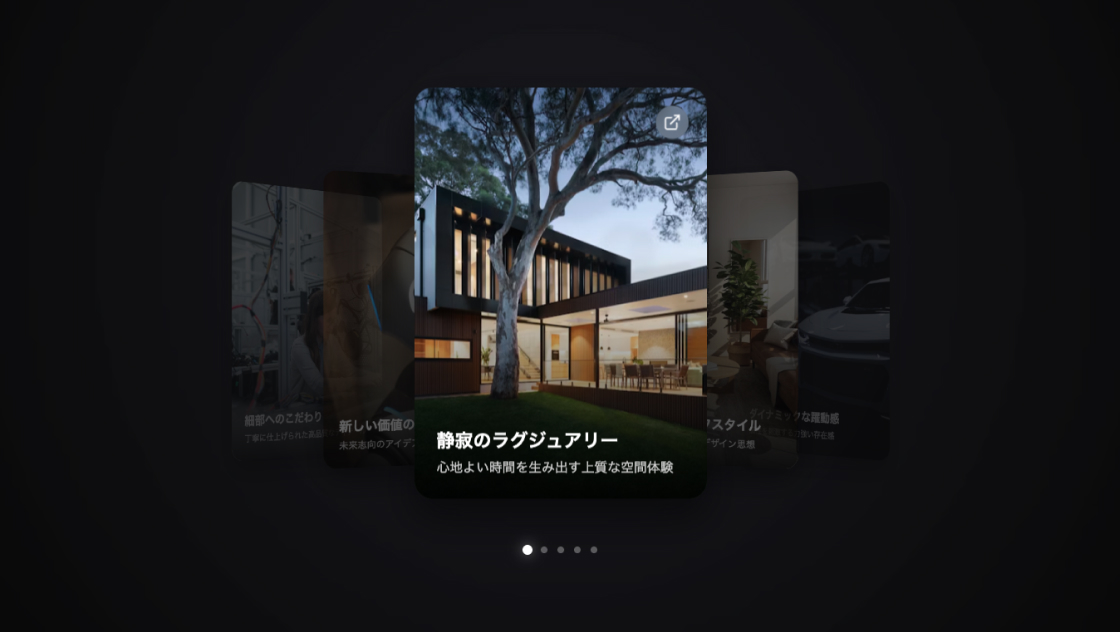
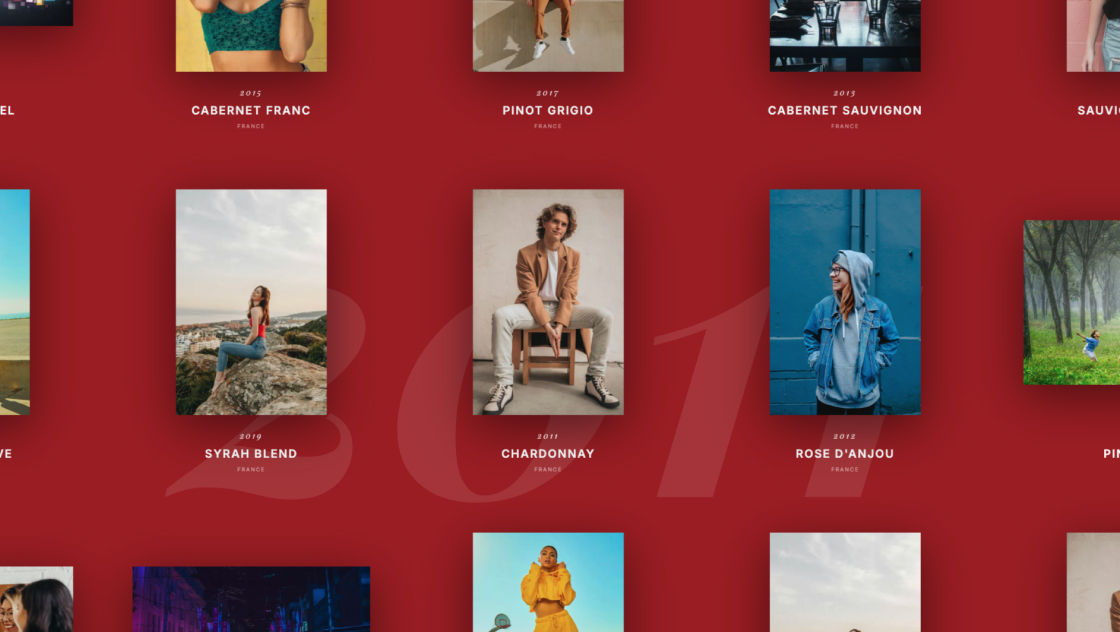
Webサイトのギャラリーといえば、横並びのスライダーやグリッドレイアウトが定番ですが、もっとインパクトのある見せ方はないでしょうか。
今回紹介するのは、Three.js(WebGL)を使って画像をらせん(スパイラル)状に配置し、スクロールでぐるぐる回転させられる3Dギャラリーです。
慣性によるなめらかな動き、ドラッグによる視点の傾き、スマホのタッチ操作にも対応しており、ポートフォリオやクリエイティブ系サイトのヒーローセクションなどに活用できます。
<div id="kumonosu-webgl-container">
	<canvas id="kumonosu-webgl-canvas"></canvas>
</div>* {
margin: 0;
padding: 0;
box-sizing: border-box;
}
body {
font-family: 'Segoe UI', Tahoma, Geneva, Verdana, sans-serif;
background: black;
color: white;
min-height: 100vh;
overflow-x: hidden;
height: 100vh;
overflow-y: hidden;
}
#kumonosu-webgl-container {
position: fixed;
top: 0;
left: 0;
width: 100%;
height: 100%;
z-index: 1;
pointer-events: none;
}
#kumonosu-webgl-canvas {
position: absolute;
top: 0;
left: 0;
width: 100%;
height: 100%;
outline: none;
}const imageUrls = ['https://picsum.photos/id/10/800/600', 'https://picsum.photos/id/11/800/600', 'https://picsum.photos/id/12/800/600', 'https://picsum.photos/id/13/800/600', 'https://picsum.photos/id/14/800/600', 'https://picsum.photos/id/15/800/600', 'https://picsum.photos/id/16/800/600', 'https://picsum.photos/id/17/800/600', 'https://picsum.photos/id/18/800/600', 'https://picsum.photos/id/19/800/600', 'https://picsum.photos/id/20/800/600', 'https://picsum.photos/id/21/800/600', 'https://picsum.photos/id/22/800/600', 'https://picsum.photos/id/23/800/600', 'https://picsum.photos/id/24/800/600', 'https://picsum.photos/id/25/800/600', 'https://picsum.photos/id/26/800/600', 'https://picsum.photos/id/27/800/600', 'https://picsum.photos/id/28/800/600', 'https://picsum.photos/id/29/800/600', 'https://picsum.photos/id/30/800/600', 'https://picsum.photos/id/31/800/600', 'https://picsum.photos/id/32/800/600', ];
const numberOfImages = imageUrls.length;
let scene, camera, renderer, spiralMesh, tiltGroup, shaderMaterial;
let scrollOffset = 0;
let isDragging = false;
let previousMousePosition = {
x: 0,
y: 0
};
let dragRotation = {
x: 0,
z: 0
};
let baseRotation = {
x: 0,
z: 0
};
let imageRatios = [];
let inertiaParams = {
friction: 0.94,
strength: 0.8,
maxSpeed: 0.05,
directionSmoothing: 0.92,
scrollSensitivity: 0.0008
};
let config = {
imageHeight: 7,
curvature: -0.030,
gapSize: 0,
spiralRadius: 3.5,
spiralTurns: 2.8 + (numberOfImages - 21) * 0.1,
spiralHeight: 12 + (numberOfImages - 21) * 0.25,
centerX: 0,
centerY: 4.38,
centerZ: 0
};
let originalPositions = [];
let targetVelocity = 0;
let currentVelocity = 0;
let lastDelta = 0;
let touchStartY = 0;
let touchLastY = 0;
let touchVelocity = 0;
let touchAcceleration = 0;
let isTouching = false;
let lastTouchTimestamp = 0;
function setupTouchControls() {
const container = document.getElementById('kumonosu-webgl-container');
container.style.pointerEvents = 'auto';
container.addEventListener('touchstart', (e) => {
e.preventDefault();
isTouching = true;
touchStartY = e.touches[0].clientY;
touchLastY = touchStartY;
touchVelocity = 0;
touchAcceleration = 0;
lastTouchTimestamp = performance.now();
container.style.cursor = 'grabbing';
}, {
passive: false
});
container.addEventListener('touchmove', (e) => {
if (!isTouching) return;
e.preventDefault();
const now = performance.now();
let deltaTime = Math.min(32, now - lastTouchTimestamp);
if (deltaTime < 1) deltaTime = 16;
lastTouchTimestamp = now;
const currentY = e.touches[0].clientY;
const deltaY = currentY - touchLastY;
const rawVelocity = deltaY * inertiaParams.scrollSensitivity * inertiaParams.strength * 0.5;
touchVelocity = touchVelocity * 0.7 + rawVelocity * 0.3;
let deltaScroll = deltaY * inertiaParams.scrollSensitivity * inertiaParams.strength * 0.8;
scrollOffset += deltaScroll;
updateUVOffset();
touchLastY = currentY;
}, {
passive: false
});
container.addEventListener('touchend', (e) => {
e.preventDefault();
isTouching = false;
container.style.cursor = 'grab';
if (Math.abs(touchVelocity) > 0.001) {
targetVelocity = touchVelocity * 1.2;
targetVelocity = Math.max(-inertiaParams.maxSpeed * 1.5, Math.min(inertiaParams.maxSpeed * 1.5, targetVelocity));
}
touchVelocity = 0;
});
let touchDragStartX = 0;
let touchDragStartY = 0;
let isDraggingTouch = false;
container.addEventListener('touchstart', (e) => {
if (e.touches.length === 2) {
isDraggingTouch = true;
touchDragStartX = e.touches[1].clientX;
touchDragStartY = e.touches[1].clientY;
}
});
container.addEventListener('touchmove', (e) => {
if (isDraggingTouch && e.touches.length === 2) {
e.preventDefault();
const dx = e.touches[1].clientX - touchDragStartX;
const dy = e.touches[1].clientY - touchDragStartY;
dragRotation.z += dx * 0.003;
dragRotation.x -= dy * 0.003;
dragRotation.x = Math.max(-0.35, Math.min(0.35, dragRotation.x));
dragRotation.z = Math.max(-0.35, Math.min(0.35, dragRotation.z));
tiltGroup.rotation.x = baseRotation.x + dragRotation.x;
tiltGroup.rotation.z = baseRotation.z + dragRotation.z;
touchDragStartX = e.touches[1].clientX;
touchDragStartY = e.touches[1].clientY;
}
});
container.addEventListener('touchend', (e) => {
isDraggingTouch = false;
});
}
function updateTouchInertia() {
if (!isTouching) {
touchVelocity *= 0.95;
if (Math.abs(touchVelocity) > 0.0001) {
scrollOffset += touchVelocity * 0.5;
updateUVOffset();
} else {
touchVelocity = 0;
}
}
}
function rebuildGeometry() {
if (!spiralMesh) return;
const totalSlots = imageRatios.length;
const widths = imageRatios.map(r => r * config.imageHeight);
const totalWidth = widths.reduce((a, b) => a + b, 0);
const segmentsW = 200 + totalSlots * 20;
const segmentsH = 24;
const geometry = new THREE.PlaneGeometry(totalWidth, config.imageHeight, segmentsW, segmentsH);
const positions = geometry.attributes.position;
const uvs = geometry.attributes.uv;
let origX = [];
let origY = [];
for (let i = 0; i < positions.count; i++) {
origX.push(positions.getX(i));
origY.push(positions.getY(i));
}
let cumulative = [0];
for (let i = 0; i < totalSlots; i++) {
cumulative.push(cumulative[i] + widths[i] / totalWidth);
}
const imageRatio = 1 - config.gapSize;
for (let i = 0; i < uvs.count; i++) {
let u = uvs.getX(i);
u = Math.max(0, Math.min(0.999999, u));
let found = false;
for (let j = 0; j < totalSlots; j++) {
if (u >= cumulative[j] && u < cumulative[j + 1]) {
let localU = (u - cumulative[j]) / (cumulative[j + 1] - cumulative[j]);
if (localU > imageRatio) {
uvs.setX(i, cumulative[j + 1] - 0.001);
} else {
let scaledU = localU / imageRatio;
const edgeMargin = 0.001;
scaledU = Math.max(edgeMargin, Math.min(1 - edgeMargin, scaledU));
let newU = cumulative[j] + scaledU * (cumulative[j + 1] - cumulative[j]);
uvs.setX(i, newU);
}
found = true;
break;
}
}
if (!found) {
uvs.setX(i, cumulative[totalSlots] - 0.001);
}
}
for (let i = 0; i < positions.count; i++) {
const x = positions.getX(i);
const y = positions.getY(i);
const nx = x / (totalWidth / 2);
const curve = config.curvature * 0.4 * (nx * nx - 1);
positions.setXYZ(i, x, y, -curve);
}
originalPositions = [];
for (let i = 0; i < positions.count; i++) {
const x = origX[i];
const y = origY[i];
let t = (x + totalWidth / 2) / totalWidth;
t = Math.max(0, Math.min(1, t));
const angle = t * Math.PI * 2 * config.spiralTurns;
const radius = config.spiralRadius * (1 - t * 0.12);
let px = Math.sin(angle) * radius;
let pz = Math.cos(angle) * radius;
let py = (t - 0.5) * config.spiralHeight + y * 0.35;
if (!originalPositions[i]) {
originalPositions[i] = {
x: px,
y: py,
z: pz,
offsetX: (Math.random() - 0.5) * 0.001,
offsetY: (Math.random() - 0.5) * 0.001,
offsetZ: (Math.random() - 0.5) * 0.001
};
}
px += originalPositions[i].offsetX;
py += originalPositions[i].offsetY;
pz += originalPositions[i].offsetZ;
positions.setXYZ(i, px, py, pz);
}
geometry.computeVertexNormals();
const oldGeo = spiralMesh.geometry;
spiralMesh.geometry = geometry;
if (oldGeo) oldGeo.dispose();
if (shaderMaterial) {
shaderMaterial.uniforms.gap.value = config.gapSize;
}
spiralMesh.position.set(config.centerX, config.centerY, config.centerZ);
}
function updateUVOffset() {
if (!shaderMaterial) return;
let offset = scrollOffset;
while (offset >= 1.0) offset -= 1.0;
while (offset < 0) offset += 1.0;
shaderMaterial.uniforms.offset.value = offset;
}
function createMasterTexture() {
return new Promise((resolve) => {
const canvas = document.createElement('canvas');
const ctx = canvas.getContext('2d');
const baseHeight = 500;
let loaded = 0;
let images = [];
imageUrls.forEach((url, idx) => {
const img = new Image();
img.crossOrigin = 'Anonymous';
img.onload = () => {
const ratio = img.naturalWidth / img.naturalHeight;
imageRatios[idx] = ratio;
const width = baseHeight * ratio;
images[idx] = {
img,
width,
height: baseHeight
};
loaded++;
if (loaded === numberOfImages) {
const totalWidth = images.reduce((sum, i) => sum + i.width, 0);
canvas.width = totalWidth;
canvas.height = baseHeight;
ctx.fillStyle = '#000000';
ctx.fillRect(0, 0, canvas.width, canvas.height);
let offsetX = 0;
images.forEach((data) => {
if (data && data.img) {
ctx.drawImage(data.img, offsetX, 0, data.width, data.height);
}
offsetX += data.width;
});
const tex = new THREE.CanvasTexture(canvas);
tex.wrapS = THREE.RepeatWrapping;
tex.wrapT = THREE.ClampToEdgeWrapping;
tex.minFilter = THREE.LinearFilter;
tex.magFilter = THREE.LinearFilter;
tex.generateMipmaps = false;
resolve(tex);
}
};
img.onerror = () => {
imageRatios[idx] = 0.8;
loaded++;
if (loaded === numberOfImages) {
const tex = new THREE.CanvasTexture(canvas);
resolve(tex);
}
};
img.src = url;
});
});
}
async function init() {
scene = new THREE.Scene();
scene.background = new THREE.Color(0x000000);
camera = new THREE.PerspectiveCamera(50, window.innerWidth / window.innerHeight, 0.1, 1000);
camera.position.set(0, 3.5, 9);
renderer = new THREE.WebGLRenderer({
canvas: document.getElementById('kumonosu-webgl-canvas'),
antialias: true
});
renderer.setSize(window.innerWidth, window.innerHeight);
const ambient = new THREE.AmbientLight(0xffffff, 0.6);
scene.add(ambient);
const mainLight = new THREE.DirectionalLight(0xffffff, 0.9);
mainLight.position.set(5, 8, 5);
scene.add(mainLight);
tiltGroup = new THREE.Group();
baseRotation = {
x: -0.18,
z: 0.12
};
tiltGroup.rotation.x = baseRotation.x;
tiltGroup.rotation.z = baseRotation.z;
scene.add(tiltGroup);
const texture = await createMasterTexture();
shaderMaterial = new THREE.ShaderMaterial({
uniforms: {
map: {
value: texture
},
gap: {
value: config.gapSize
},
offset: {
value: 0.0
}
},
vertexShader: `
varying vec2 vUv;
void main() {
vUv = uv;
gl_Position = projectionMatrix * modelViewMatrix * vec4(position, 1.0);
}
`,
fragmentShader: `
uniform sampler2D map;
uniform float gap;
uniform float offset;
varying vec2 vUv;
void main() {
float u = vUv.x + offset;
if (u >= 1.0) u -= 1.0;
if (u < 0.0) u += 1.0;
vec4 color = texture2D(map, vec2(u, vUv.y));
gl_FragColor = color;
}
`,
transparent: true,
side: THREE.DoubleSide
});
spiralMesh = new THREE.Mesh(new THREE.BufferGeometry(), shaderMaterial);
spiralMesh.rotation.x = 0.35;
spiralMesh.rotation.y = 0;
tiltGroup.add(spiralMesh);
onResize();
window.addEventListener('resize', onResize);
setupFluidInertia();
setupDrag();
setupArrowKeysZoom();
setupTouchControls();
animate();
}
function setupFluidInertia() {
let lastTimestamp = 0;
let acceleration = 0;
window.addEventListener('wheel', (e) => {
e.preventDefault();
const now = performance.now();
let deltaTime = Math.min(32, now - lastTimestamp);
if (deltaTime < 1) deltaTime = 16;
lastTimestamp = now;
const rawDelta = e.deltaY * inertiaParams.scrollSensitivity * inertiaParams.strength;
let maxAccel = 0.015;
let deltaAccel = rawDelta - acceleration;
deltaAccel = Math.max(-maxAccel, Math.min(maxAccel, deltaAccel));
acceleration += deltaAccel;
acceleration = Math.max(-0.03, Math.min(0.03, acceleration));
let targetDelta = acceleration;
targetVelocity = targetVelocity * inertiaParams.directionSmoothing + targetDelta * (1 - inertiaParams.directionSmoothing);
targetVelocity = Math.max(-inertiaParams.maxSpeed, Math.min(inertiaParams.maxSpeed, targetVelocity));
}, {
passive: false
});
function updateInertia() {
targetVelocity *= inertiaParams.friction;
currentVelocity = currentVelocity * 0.85 + targetVelocity * 0.15;
if (Math.abs(currentVelocity) > 0.0001) {
scrollOffset += currentVelocity;
updateUVOffset();
} else {
currentVelocity = 0;
targetVelocity = 0;
acceleration = 0;
}
updateTouchInertia();
}
window._updateInertia = updateInertia;
}
function setupArrowKeysZoom() {
let zoomLevel = 1.0;
const minZoom = 0.84;
const maxZoom = 1;
window.addEventListener('keydown', (e) => {
if (e.key === 'ArrowRight') {
e.preventDefault();
zoomLevel += 0.05;
if (zoomLevel > maxZoom) zoomLevel = maxZoom;
camera.position.z = (window.innerWidth < 600 ? 11 : 9) / zoomLevel;
} else if (e.key === 'ArrowLeft') {
e.preventDefault();
zoomLevel -= 0.05;
if (zoomLevel < minZoom) zoomLevel = minZoom;
camera.position.z = (window.innerWidth < 600 ? 11 : 9) / zoomLevel;
}
});
}
function setupDrag() {
const container = document.getElementById('kumonosu-webgl-container');
container.style.pointerEvents = 'auto';
container.style.cursor = 'grab';
container.addEventListener('mousedown', (e) => {
isDragging = true;
previousMousePosition = {
x: e.clientX,
y: e.clientY
};
container.style.cursor = 'grabbing';
e.preventDefault();
});
window.addEventListener('mousemove', (e) => {
if (!isDragging) return;
const dx = e.clientX - previousMousePosition.x;
const dy = e.clientY - previousMousePosition.y;
dragRotation.z += dx * 0.002;
dragRotation.x -= dy * 0.002;
dragRotation.x = Math.max(-0.35, Math.min(0.35, dragRotation.x));
dragRotation.z = Math.max(-0.35, Math.min(0.35, dragRotation.z));
tiltGroup.rotation.x = baseRotation.x + dragRotation.x;
tiltGroup.rotation.z = baseRotation.z + dragRotation.z;
previousMousePosition = {
x: e.clientX,
y: e.clientY
};
});
window.addEventListener('mouseup', () => {
isDragging = false;
container.style.cursor = 'grab';
});
}
function onResize() {
const width = window.innerWidth;
const height = window.innerHeight;
camera.aspect = width / height;
camera.updateProjectionMatrix();
renderer.setSize(width, height);
if (width < 600) {
config.spiralRadius = 1.8;
config.imageHeight = 4.0;
config.spiralHeight = 10 + (numberOfImages - 21) * 0.25;
config.centerY = 3.5;
camera.position.set(0, 2.5, 11);
} else if (width < 1000) {
config.spiralRadius = 2.6;
config.imageHeight = 5.5;
config.spiralHeight = 11 + (numberOfImages - 21) * 0.25;
config.centerY = 4.0;
camera.position.set(0, 3.0, 10);
} else {
config.spiralRadius = 3.5;
config.imageHeight = 7;
config.spiralHeight = 12 + (numberOfImages - 21) * 0.25;
config.centerY = 4.38;
camera.position.set(0, 3.5, 9);
}
rebuildGeometry();
}
function animate() {
requestAnimationFrame(animate);
if (window._updateInertia) {
window._updateInertia();
}
renderer.render(scene, camera);
}
init();https://cdnjs.cloudflare.com/ajax/libs/three.js/0.160.0/three.min.jsこのギャラリーは、Three.jsのWebGLレンダリングをベースに、複数の画像を1本のスパイラル(らせん)上に配置します。全画像を1枚のマスターテクスチャ(Canvas)に結合し、カスタムシェーダー(GLSL)でUVオフセットをずらすことで、スクロールに連動した無限ループ回転を実現しています。
主な機能は以下のとおりです。
imageUrls配列のURLを差し替えるだけで、表示画像を自由に変更できます。枚数の増減にも自動対応します。configオブジェクト内のspiralRadius(半径)、spiralTurns(巻き数)、spiralHeight(高さ)を調整することで、らせんの密度や広がり方を変更できます。config.imageHeightで画像の高さ(≒表示サイズ)を変更できます。config.curvatureの値を変えると、各画像パネルの曲がり具合(内側への反り)が変化します。inertiaParams内のfriction(摩擦)、strength(強さ)、maxSpeed(最高速度)、scrollSensitivity(感度)を調整することで、スクロールの手触りを細かくチューニングできます。camera.position.set()やbaseRotationの値を変更すれば、初期視点や傾きの初期値を変えられます。scene.backgroundおよびCSSのbody背景色を変更することで、全体の雰囲気を変えられます。cdnjs.cloudflare.com)からThree.js r160を読み込んでいます。本番環境ではバージョン固定やローカルホスティングを推奨します。crossOrigin = 'Anonymous'を設定しています。CORS非対応のサーバーから画像を読み込む場合、テクスチャが正しく生成されません。自サーバーに画像を置くか、CORS対応のCDNを使用してください。wheelイベントにpreventDefault()を設定しているため、このギャラリーが画面全体を覆う前提の設計です。ページ内の一部セクションとして使う場合は、イベント制御の見直しが必要です。