HTML / CSS / JS

アニメーション
 2026/04/23
 2026/4/18
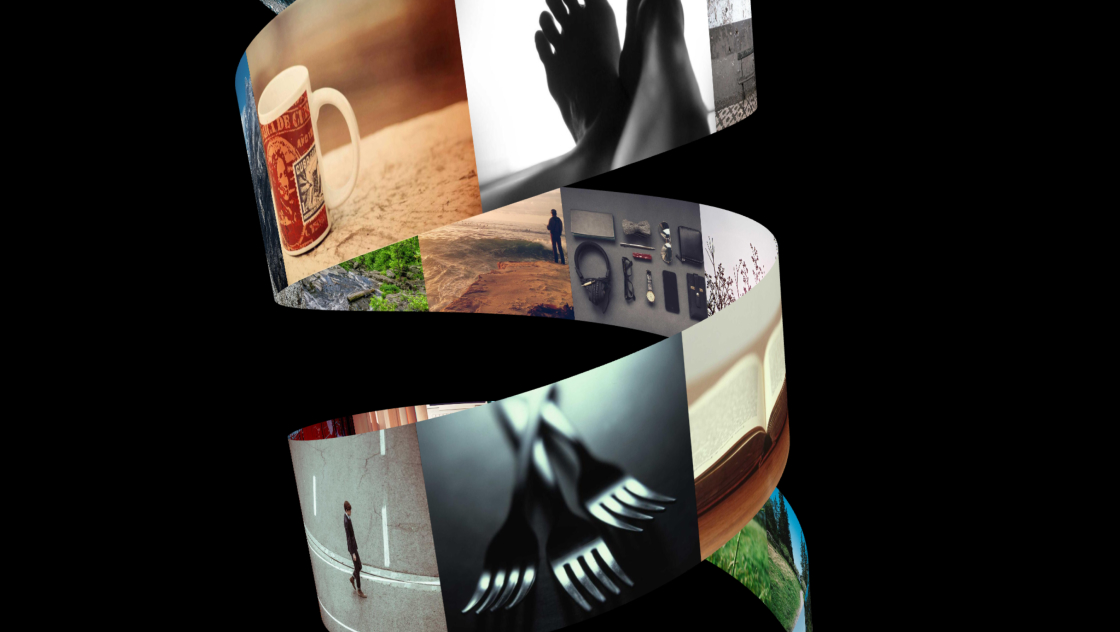
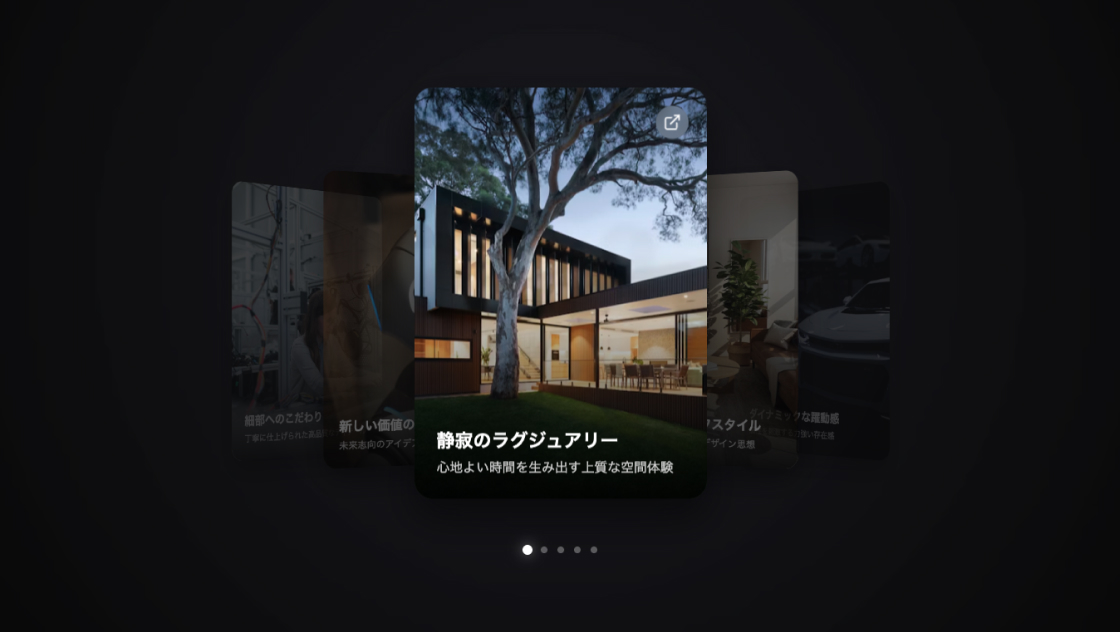
プロジェクト一覧やポートフォリオ表示では、多くの情報を限られたスペースで見せる必要があります。
このサンプルでは、横スクロールとスナップ機能を組み合わせたカードカルーセルUIを実装し、直感的に操作できる閲覧体験を提供しています。
ドラッグやスワイプ操作に対応しつつ、ナビゲーションボタンやドットインジケーターも備えており、ユーザーが現在位置を把握しやすい構造になっています。
<section class="max-w-7xl mx-auto py-12 px-4 sm:py-24">
	<div class="mb-10 flex flex-col md:flex-row md:items-end justify-between gap-4">
		<div>
			<h2 class="text-3xl sm:text-4xl font-bold tracking-tight text-gray-900">Featured Projects</h2>
			<p class="mt-2 text-lg text-gray-500">最新のデザインとテクノロジーを融合させたプロジェクト事例</p>
		</div>
		<div class="hidden md:flex gap-3">
			<button id="prevBtn" class="p-3 rounded-full border border-gray-200 bg-white shadow-sm hover:bg-gray-50 transition-all active:scale-95 disabled:opacity-30" aria-label="Previous">
				<svg xmlns="http://www.w3.org/2000/svg" width="24" height="24" fill="none" stroke="currentColor" stroke-width="2" stroke-linecap="round" stroke-linejoin="round">
					<path d="m15 18-6-6 6-6" />
				</svg>
			</button>
			<button id="nextBtn" class="p-3 rounded-full border border-gray-200 bg-white shadow-sm hover:bg-gray-50 transition-all active:scale-95 disabled:opacity-30" aria-label="Next">
				<svg xmlns="http://www.w3.org/2000/svg" width="24" height="24" fill="none" stroke="currentColor" stroke-width="2" stroke-linecap="round" stroke-linejoin="round">
					<path d="m9 18 6-6-6-6" />
				</svg>
			</button>
		</div>
	</div>
	<div class="relative group">
		<div id="carousel" class="scroll-container hide-scrollbar flex gap-4 sm:gap-6 overflow-x-auto pb-8 -mx-4 px-4 sm:mx-0 sm:px-0">
			<div class="card w-[85vw] sm:w-[calc(50%-12px)] lg:w-[calc(33.333%-16px)]">
				<a href="#" class="block relative overflow-hidden rounded-2xl aspect-[4/5] group/card">
					<img src="https://images.unsplash.com/photo-1498050108023-c5249f4df085?auto=format&fit=crop&q=80&w=800" alt="Minimal Tech" class="absolute inset-0 w-full h-full object-cover transition-transform duration-500 group-hover/card:scale-110">
					<div class="absolute inset-0 bg-gradient-to-t from-black/80 via-black/20 to-transparent"></div>
					<div class="absolute bottom-0 p-6 sm:p-8 text-white">
						<span class="text-xs font-semibold uppercase tracking-wider text-blue-400">Technology</span>
						<h3 class="text-2xl font-bold mt-2">Core OS Architecture</h3>
						<p class="text-sm text-gray-300 mt-2 opacity-0 group-hover/card:opacity-100 transition-opacity duration-300">次世代のオペレーティングシステムに向けた革新的なアーキテクチャ設計。</p>
					</div>
				</a>
			</div>
			<div class="card w-[85vw] sm:w-[calc(50%-12px)] lg:w-[calc(33.333%-16px)]">
				<a href="#" class="block relative overflow-hidden rounded-2xl aspect-[4/5] group/card">
					<img src="https://images.unsplash.com/photo-1441986300917-64674bd600d8?auto=format&fit=crop&q=80&w=800" alt="E-commerce" class="absolute inset-0 w-full h-full object-cover transition-transform duration-500 group-hover/card:scale-110">
					<div class="absolute inset-0 bg-gradient-to-t from-black/80 via-black/20 to-transparent"></div>
					<div class="absolute bottom-0 p-6 sm:p-8 text-white">
						<span class="text-xs font-semibold uppercase tracking-wider text-blue-400">Design</span>
						<h3 class="text-2xl font-bold mt-2">Luxe Fashion Store</h3>
						<p class="text-sm text-gray-300 mt-2 opacity-0 group-hover/card:opacity-100 transition-opacity duration-300">ミニマリズムを追求したハイエンドファッションブランドのECサイト。</p>
					</div>
				</a>
			</div>
			<div class="card w-[85vw] sm:w-[calc(50%-12px)] lg:w-[calc(33.333%-16px)]">
				<a href="#" class="block relative overflow-hidden rounded-2xl aspect-[4/5] group/card">
					<img src="https://images.unsplash.com/photo-1550745165-9bc0b252726f?auto=format&fit=crop&q=80&w=800" alt="Cybersecurity" class="absolute inset-0 w-full h-full object-cover transition-transform duration-500 group-hover/card:scale-110">
					<div class="absolute inset-0 bg-gradient-to-t from-black/80 via-black/20 to-transparent"></div>
					<div class="absolute bottom-0 p-6 sm:p-8 text-white">
						<span class="text-xs font-semibold uppercase tracking-wider text-blue-400">Security</span>
						<h3 class="text-2xl font-bold mt-2">Quantum Encryption</h3>
						<p class="text-sm text-gray-300 mt-2 opacity-0 group-hover/card:opacity-100 transition-opacity duration-300">量子コンピュータ時代の到来に備えた最高機密レベルの暗号化。 </p>
					</div>
				</a>
			</div>
			<div class="card w-[85vw] sm:w-[calc(50%-12px)] lg:w-[calc(33.333%-16px)]">
				<a href="#" class="block relative overflow-hidden rounded-2xl aspect-[4/5] group/card">
					<img src="https://images.unsplash.com/photo-1460925895917-afdab827c52f?auto=format&fit=crop&q=80&w=800" alt="Data Science" class="absolute inset-0 w-full h-full object-cover transition-transform duration-500 group-hover/card:scale-110">
					<div class="absolute inset-0 bg-gradient-to-t from-black/80 via-black/20 to-transparent"></div>
					<div class="absolute bottom-0 p-6 sm:p-8 text-white">
						<span class="text-xs font-semibold uppercase tracking-wider text-blue-400">Analytics</span>
						<h3 class="text-2xl font-bold mt-2">Smart City Hub</h3>
						<p class="text-sm text-gray-300 mt-2 opacity-0 group-hover/card:opacity-100 transition-opacity duration-300">都市のインフラ情報を可視化する統合データ分析プラットフォーム。</p>
					</div>
				</a>
			</div>
			<div class="card w-[85vw] sm:w-[calc(50%-12px)] lg:w-[calc(33.333%-16px)]">
				<a href="#" class="block relative overflow-hidden rounded-2xl aspect-[4/5] group/card">
					<img src="https://images.unsplash.com/photo-1486406146926-c627a92ad1ab?auto=format&fit=crop&q=80&w=800" alt="Architecture" class="absolute inset-0 w-full h-full object-cover transition-transform duration-500 group-hover/card:scale-110">
					<div class="absolute inset-0 bg-gradient-to-t from-black/80 via-black/20 to-transparent"></div>
					<div class="absolute bottom-0 p-6 sm:p-8 text-white">
						<span class="text-xs font-semibold uppercase tracking-wider text-blue-400">Urban</span>
						<h3 class="text-2xl font-bold mt-2">Vertical Garden</h3>
						<p class="text-sm text-gray-300 mt-2 opacity-0 group-hover/card:opacity-100 transition-opacity duration-300">自然と共生する都市型高層建築のサステナブルデザイン。</p>
					</div>
				</a>
			</div>
		</div>
		<div id="dot-container" class="mt-8 flex justify-center gap-2">
		</div>
	</div>
</section>html, body {
margin: 0;
padding: 0;
background: #fff;
}
.hide-scrollbar::-webkit-scrollbar {
display: none;
}
.hide-scrollbar {
-ms-overflow-style: none;
scrollbar-width: none;
}
.scroll-container {
scroll-behavior: smooth;
-webkit-overflow-scrolling: touch;
scroll-snap-type: x mandatory;
}
.card {
scroll-snap-align: center;
flex-shrink: 0;
}
@media (min-width: 860px) {
.card {
scroll-snap-align: start;
}
}
.dragging {
cursor: grabbing;
user-select: none;
}
.dragging a {
pointer-events: none;
}const carousel = document.getElementById('carousel');
const prevBtn = document.getElementById('prevBtn');
const nextBtn = document.getElementById('nextBtn');
const dotContainer = document.getElementById('dot-container');
let isDragging = false;
let startX;
let scrollLeftStart;
let dragDistance = 0;
// スライド(ドット)の計算と生成
function setupPagination() {
const cards = Array.from(carousel.querySelectorAll('.card'));
const containerWidth = carousel.clientWidth;
const cardWidth = cards[0].offsetWidth;
// 1画面に収まる枚数を計算
const visibleCards = Math.round(containerWidth / cardWidth);
// 合計スライド数(表示開始可能な位置の数)
const totalSlides = Math.max(1, cards.length - visibleCards + 1);
// ドットの生成
dotContainer.innerHTML = '';
for (let i = 0; i < totalSlides; i++) {
const dot = document.createElement('button');
dot.className = `w-2 h-2 rounded-full transition-all duration-300 bg-gray-300 hover:bg-gray-400`;
dot.setAttribute('aria-label', `Go to slide ${i + 1}`);
dot.addEventListener('click', () => {
const targetScroll = i * (cardWidth + 24); // 24はgap(gap-6)
carousel.scrollTo({
left: targetScroll,
behavior: 'smooth'
});
});
dotContainer.appendChild(dot);
}
updateActiveDot();
}
// アクティブなドットの更新
function updateActiveDot() {
const cards = carousel.querySelectorAll('.card');
if (cards.length === 0) return;
const cardWidth = cards[0].offsetWidth + 24;
const currentScroll = carousel.scrollLeft;
const activeIndex = Math.round(currentScroll / cardWidth);
const dots = dotContainer.querySelectorAll('button');
dots.forEach((dot, index) => {
if (index === activeIndex) {
dot.classList.add('bg-blue-600', 'w-8');
dot.classList.remove('bg-gray-300', 'w-2');
} else {
dot.classList.remove('bg-blue-600', 'w-8');
dot.classList.add('bg-gray-300', 'w-2');
}
});
// ボタンの有効/無効
if (prevBtn && nextBtn) {
prevBtn.disabled = currentScroll <= 5;
nextBtn.disabled = currentScroll + carousel.clientWidth >= carousel.scrollWidth - 5;
}
}
// ナビゲーションボタン
prevBtn.addEventListener('click', () => {
const cardWidth = carousel.querySelector('.card').offsetWidth + 24;
carousel.scrollBy({
left: -cardWidth,
behavior: 'smooth'
});
});
nextBtn.addEventListener('click', () => {
const cardWidth = carousel.querySelector('.card').offsetWidth + 24;
carousel.scrollBy({
left: cardWidth,
behavior: 'smooth'
});
});
// ドラッグ&スワイプ機能
carousel.addEventListener('mousedown', (e) => {
isDragging = true;
carousel.classList.add('dragging');
startX = e.pageX - carousel.offsetLeft;
scrollLeftStart = carousel.scrollLeft;
dragDistance = 0;
});
window.addEventListener('mousemove', (e) => {
if (!isDragging) return;
e.preventDefault();
const x = e.pageX - carousel.offsetLeft;
const walk = (x - startX) * 1.5;
carousel.scrollLeft = scrollLeftStart - walk;
dragDistance = Math.abs(walk);
});
window.addEventListener('mouseup', () => {
isDragging = false;
carousel.classList.remove('dragging');
});
// リンクのクリック防止 (ドラッグ中のみ)
carousel.querySelectorAll('a').forEach(link => {
link.addEventListener('click', (e) => {
if (dragDistance > 10) {
e.preventDefault();
}
});
});
// イベントリスナー
carousel.addEventListener('scroll', updateActiveDot);
window.addEventListener('resize', () => {
setupPagination();
});
// 初期化
window.addEventListener('load', setupPagination);https://cdn.tailwindcss.comこのカルーセルは横方向のフレックスレイアウトを基盤とし、.scroll-container に対して overflow-x: auto を適用することで横スクロールを実現しています。
各カードは .card として配置され、CSSの scroll-snap-align を使用することで、スクロール時にカード単位で自然に位置が揃うようになっています。PCとモバイルでスナップ位置を変更することで、閲覧体験を最適化しています。
スクロール位置は JavaScript により監視され、現在表示されているカードのインデックスを基準にドットナビゲーションを更新しています。
カード幅とコンテナ幅から表示可能枚数を算出し、総スライド数を動的に生成することで、データ量に依存しない構造になっています。
ドラッグ操作ではマウスとタッチの両方に対応しており、移動距離に応じて scrollLeft を直接制御しています。一定以上のドラッグ距離がある場合はリンククリックを無効化し、誤操作を防止しています。
ナビゲーションボタンはカード幅+gap値を基準にスクロール量を計算しており、常に1カード単位で移動する設計になっています。
カードレイアウトは Tailwind CSS を中心に構築されており、w-[85vw] や aspect-[4/5] などのクラスを変更することでサイズ調整が可能です。
gap(カード間隔)を変更する場合は、JavaScript側の計算値(24px部分)も合わせて調整する必要があります。
スナップ挙動を変更したい場合は scroll-snap-type の値を mandatory から proximity に変更することで、より柔らかい動きに調整できます。
ドットナビゲーションは自動生成されるため、カード数を増減しても自動的に追従します。
本記事のコードはGoogle AI Studioでプロンプトから生成しています。
一度でうまくいかない場合でも、何度か試したりプロンプトを調整することで、よりきれいなUIを作る可能性があります。
ドラッグ操作中は scrollLeft を直接制御しているため、慣性スクロールと競合する場合があります。必要に応じて passive スクロール設定やライブラリ導入を検討してください。
モバイル環境では touch 操作が主体となるため、ドラッグ距離の閾値(dragDistance > 10)を調整することで誤タップ防止のバランスを変更できます。
スクロール位置の計算はカード幅依存のため、レスポンシブ変更時には再計算(resizeイベントでのsetupPagination)が必須です。この処理を削除するとドット位置がズレる可能性があります。